
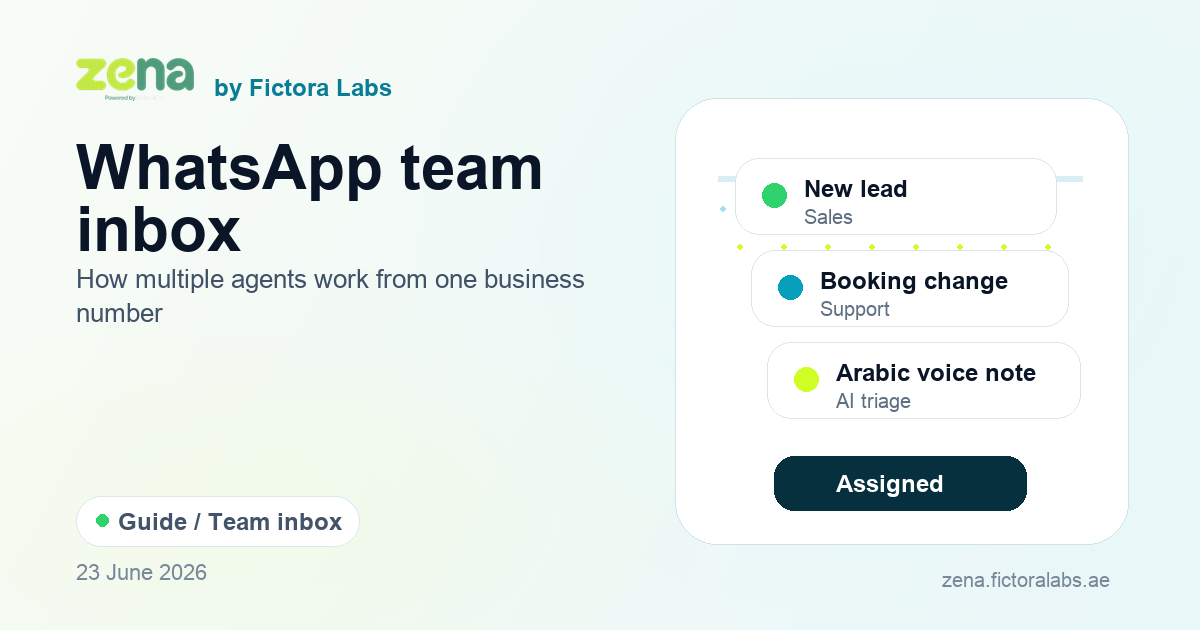
A WhatsApp team inbox lets multiple agents handle customer conversations from one WhatsApp business number without sharing a phone. The platform keeps conversation history, agent assignment, routing rules, internal visibility, and resolution status in one place. That is different from simply linking extra devices to the WhatsApp Business App: a real team inbox gives managers control over who owns each chat, how fast agents respond, and when automation should route or answer first.
If you searched for this, here is the short answer
- Need a shared WhatsApp inbox? Use a team inbox when several agents need to reply from one number while keeping ownership, notes, status, and conversation history visible.
- Need automatic routing? WhatsApp itself does not route chats. Routing is built in the BSP layer with rules such as round-robin, department, language, workload, or returning-customer assignment.
- Need manager visibility? Look for per-agent analytics: first response time, open conversations, resolution rate, handoffs, and campaign performance by team.
- Need AI plus human handoff? The inbox should filter spam, answer simple questions, and pass complex requests to the right agent with context intact.
What Meta Actually Calls This Feature
In the WhatsApp Business App Help Center, Meta's own page is titled "About multi-agent." That page distinguishes "Without multi-agent" (up to 4 linked devices, no in-app chat assignment) from "With multi-agent" (up to 10 linked devices with Meta Verified, plus in-app chat assignment and per-agent attribution).
At the enterprise level, Meta uses "WhatsApp Business Platform" and "Cloud API" (officially: "Cloud API, hosted by Meta") as the product names.
"Team inbox" and "shared inbox" are BSP and vendor category terms. They describe the inbox UI that Business Solution Providers build on top of the WhatsApp Business Platform. Neither is a Meta product name. Both terms are widely understood across the industry, which is why this guide uses them alongside the official terminology.
What the Free Business App Supports for Teams
The standard WhatsApp Business App supports multi-agent access through its linked devices feature. Confirmed across WhatsApp's Help Center (2026):
- Free tier: 1 primary device plus up to 4 linked devices. Maximum 5 simultaneous users. No routing rules, no assignment rules, no per-agent analytics.
- Meta Verified subscription: Up to 10 linked devices. Enables manual in-app chat assignment and per-agent attribution (which agent replied to which conversation). Still no routing automation.
Both tiers share the same constraints: broadcast messaging is capped at 256 contacts who have saved your number. No AI chatbot automation. No API access. No CRM integration. All users see the same shared inbox with no way to partition queues or enforce routing rules.
The Business App multi-agent setup works for small teams where 1 to 3 people share response duty on a low-volume number. It stops working when you need routing rules, when volume exceeds a few dozen conversations per day, or when you want automation to handle the first layer of every enquiry.
When the Cloud API Path Becomes Necessary
The WhatsApp Cloud API removes device limits entirely. Any number of agents can access the same inbox through the BSP's platform. There is no linked-device ceiling.
Beyond agent count, the Cloud API enables:
- Routing rules: assign conversations automatically based on language, department, or agent workload
- AI chatbot automation for the first layer of every inbound enquiry
- Per-agent analytics: response time, message volume, and resolution rate per person
- CRM integration: pass conversation data to HubSpot, Salesforce, or a custom system via webhook
- Broadcast messaging at scale: up to 250 conversations per day initially, then 1K, 10K, and 100K+ as your account tier scales
The Cloud API does not ship an inbox UI. It provides webhooks and messaging endpoints. The inbox interface, routing engine, agent dashboard, and analytics layer all live in the BSP product. When you sign up with a WhatsApp BSP, the team inbox you see is their product built on top of Meta's API infrastructure.
How WhatsApp Conversation Routing Works
Routing is what separates a team inbox from shared device access. On the Cloud API path, the BSP defines and enforces routing logic. WhatsApp itself provides no routing engine. The routing methods available depend on the BSP platform, but the standard set is:
| Routing Method | How It Works |
|---|---|
| Round-robin | Incoming conversations distributed to available agents in sequence, balancing load evenly across the team |
| Manual assignment | Agent or supervisor picks up a conversation explicitly; no automatic distribution |
| Skill-based | Conversations routed to agents based on a skill tag: language (Arabic, English), product line, or specialist area |
| Department-based | Route by initial keyword or conversation origin to a team: sales, support, or accounts |
| Availability / least-busy | Route to the agent with the fewest open conversations, or the one who last replied furthest in the past |
| Sticky / last-agent | Route returning customers to the same agent who handled their previous conversation |
All six methods are defined and enforced at the BSP layer, not inside WhatsApp. The Cloud API delivers an inbound message to a webhook; the BSP application decides which agent queue it enters.
One capability worth checking in any shared inbox platform: collision detection. When two agents reply to the same conversation simultaneously, the customer receives duplicate or contradictory messages. A well-built team inbox locks a conversation while one agent is composing a reply, preventing simultaneous edits. This is a BSP feature, not a WhatsApp feature, and it varies across platforms.
What a WhatsApp Team Inbox Costs
Meta's billing model changed on July 1, 2025. Pricing is now per delivered template message, charged by category (marketing, utility, or authentication) and recipient country. This replaced the previous conversation-based billing model.
For team inboxes, the practical implication is important: the number of agents sharing an inbox has no impact on Meta billing. When a customer sends an inbound message, it opens a 24-hour service window. Every reply from any agent within that window is free, regardless of how many agents handle the conversation. Only outbound template messages sent outside an open service window, or proactive template broadcasts, are billed per message.
Service conversations (inbound-initiated, free-form replies within the 24-hour window) became free and uncapped on November 1, 2024 (per Meta's developer documentation at developers.facebook.com). For inbound-heavy support teams, a large share of WhatsApp messaging activity costs nothing at the Meta layer.
Costs at the BSP layer (monthly platform fee) vary by provider and plan. Zena's pricing starts at AED 199 per month, billed in AED with no currency conversion required.
Where WhatsApp Team Inboxes See the Most Use
In the UAE, WhatsApp is the default channel for customer communication. Ninety percent of UAE residents use WhatsApp, making it the highest-penetration messaging app in the country (Infobip, WhatsApp Statistics 2026). Eighty-five percent of UAE consumers say they want businesses to offer WhatsApp as a support channel, and 88% say it is the easiest way to get quick, accurate responses from a business (YouGov and Zbooni, MENA cCommerce Report 2024). Among large UAE organisations, 55% plan to make rich messaging their top investment channel over the next five years (BCG and Meta Enterprise Survey, December 2025).
These figures explain why team inboxes for WhatsApp see adoption across every sector. Among the highest-adoption categories in the UAE and GCC:
Retail and E-commerce
LuLu Hypermarket, one of the UAE's largest retail chains, deployed a WhatsApp loyalty programme on the Business Platform. A Meta case study documenting the period from January 2024 to March 2025 reports: 10x engagement compared to other channels, a 79% message read rate, and 4 million loyalty programme sign-ups completed via WhatsApp. Team inbox routing allowed multiple agents to handle the volume across store-level queues.
Banking and Fintech
UAE banking institutions including Emirates NBD, Mashreq, ADCB, FAB, RAKBANK, ADIB, and Dubai Islamic Bank use WhatsApp for utility and authentication messaging: OTP delivery, balance notifications, and account alerts. Inbound customer service queues routed through team inboxes are common across the sector. Financial institutions operating on WhatsApp in the UAE must also account for CBUAE Notice 2026/2058, which sets conduct standards for customer communication on third-party messaging platforms.
Real Estate
Real estate agents across Dubai and Abu Dhabi receive the majority of buyer and tenant enquiries via WhatsApp. Team inboxes let agencies distribute these enquiries across sales agents while maintaining a single business number visible in property listings and portals. Skill-based routing by property type (residential, commercial, off-plan) is a common configuration. RERA restrictions on unsolicited outreach make inbound Click-to-WhatsApp flows the preferred model for the sector.
Healthcare
Clinics and hospital networks use WhatsApp for appointment reminders and inbound patient queries. The UAE Health Data Law makes inbound-first models (patients contact the clinic, not the reverse) the preferred compliance pattern, which suits team inbox routing well: the inbox handles volume when patients write in, rather than driving proactive outreach broadcasts.
Hospitality and Automotive
Hotel and resort reservation teams and car dealerships both operate high-volume WhatsApp enquiry flows. Routing by property, brand, or vehicle model line is common, with sticky assignment used so that returning customers are routed back to the same sales agent who handled their initial enquiry.
No public source ranks these sectors by message volume. The observation across each is consistent across BSP industry reports and published case studies, not drawn from a single ranked study.
Five Things to Evaluate in a Team Inbox Platform
These five capabilities determine whether a team inbox platform fits a team handling real volume. Not every BSP builds all five well.
1. Collision detection. Can two agents simultaneously reply to the same conversation? If yes, the customer receives contradictory messages and the team loses credibility. Verify whether the platform locks conversations while a reply is being composed.
2. Configurable routing rules. Can your operations team update routing rules (add agents to a round-robin, change skill tags, update department mappings) without developer involvement? Routing that requires code changes to update means your team cannot manage it independently after go-live.
3. Per-agent analytics. Can you see response time, conversation count, and resolution rate per agent and per team? Without per-agent data, you cannot evaluate individual performance, identify bottlenecks, or plan staffing. Zena's analytics dashboard tracks these metrics with daily volume charts and custom date range filtering.
4. Arabic and right-to-left interface support. For UAE teams handling Arabic-language enquiries, the inbox interface should display Arabic text in right-to-left format without requiring any agent configuration. Any AI layer should handle Gulf dialect Arabic (khaleeji) as well as Modern Standard Arabic, because UAE and GCC customers write the way they speak. Zena's team inbox is built for bilingual Arabic-English workflows from the ground up.
5. Data residency and compliance posture. UAE PDPL (Personal Data Protection Law) governs personal data processed in WhatsApp CRM contexts. If your sector has additional requirements (CBUAE Notice 2026/2058 for financial institutions, RERA restrictions for real estate, UAE Health Data Law for clinics), confirm the BSP's data processing agreements and residency position before committing to a platform. This is not a box-tick: it determines whether your WhatsApp operation is legally compliant or exposed.
Frequently Asked Questions
What is a WhatsApp team inbox?
A WhatsApp team inbox is a shared messaging layer where multiple agents can read, reply to, and hand off WhatsApp conversations from a single business number. Conversation history stays unified across agents, and each conversation can be assigned to a specific person with a visible status (open, assigned, resolved). The WhatsApp Business App calls this feature "multi-agent." On the Cloud API path, the inbox UI and routing engine are provided by a BSP.
How many agents can use WhatsApp at the same time on the Business App?
The free WhatsApp Business App supports 1 primary device plus up to 4 linked devices: 5 simultaneous users. A Meta Verified subscription expands this to up to 10 linked devices and adds in-app chat assignment and per-agent attribution. The Cloud API path removes device limits entirely and supports unlimited agents through a BSP platform.
Does WhatsApp have built-in routing?
No. The Cloud API provides webhooks and messaging endpoints. All routing logic (round-robin, skill-based, department-based, keyword-triggered, availability-based, sticky assignment) is built in the BSP layer on top of the API. The free Business App with Meta Verified offers manual in-app chat assignment only, with no routing rules.
How does billing work when multiple agents share a WhatsApp inbox?
Meta's per-message pricing (effective July 1, 2025) charges per delivered template message by category and country. The number of agents sharing the inbox has no impact on Meta charges. Replies within an open 24-hour service window are free regardless of how many agents handle the conversation. Only outbound templates outside that window are billed.
What is the difference between a team inbox and a shared inbox on WhatsApp?
"Team inbox" and "shared inbox" are both BSP and vendor category terms for the same concept. Meta's official term in the Business App Help Center is "multi-agent." At the Cloud API level, Meta refers to the enterprise product as the "WhatsApp Business Platform." The industry terms exist because Meta does not ship an inbox product; BSPs build the inbox UI on top of the API infrastructure.
What should UAE businesses look for in a WhatsApp team inbox platform?
Five capabilities matter most: collision detection (prevents simultaneous agent replies to the same conversation), configurable routing rules (round-robin, skill-based, department-based), per-agent analytics (response time and resolution rate per person), Arabic and right-to-left interface support with Gulf dialect AI handling, and data residency compliance with UAE PDPL and sector-specific regulations.
See how Zena's team inbox works
Built for Arabic and English, AED billing, and UAE compliance from day one. Live in about 5 minutes with no trade licence required to start.
See plans and pricing →