

WhatsApp Number Management
for UAE and GCC Businesses
Connect multiple WhatsApp Business numbers to one Zena dashboard. Connect your numbers and organise conversation ownership with your team. Manage every number from one place with no switching between accounts.
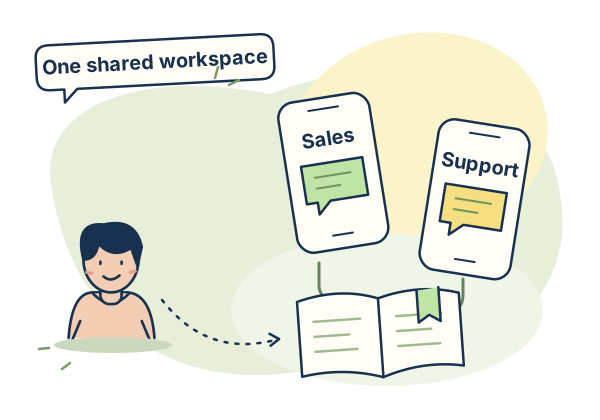
Multiple WhatsApp Numbers.
One Dashboard.
UAE businesses with multiple product lines, locations, or departments often run separate WhatsApp numbers for each. A sales number, a support number, an Arabic-language number, a branch-specific number. Managing these from different phones or different accounts means no unified view, no team inbox, and no analytics across the whole operation.
Zena WhatsApp number management lets you connect all your numbers to one dashboard. Connected numbers retain their own identity in the workspace. Your team can review the numbers, choose a default and manage conversations together. Use an assisted setup when your operation needs routing across several numbers. Your whole operation runs from one place with full visibility across every number.
Everything Inside
WhatsApp Number Management
Connect, route, filter, and manage every WhatsApp number your business runs from one dashboard.
Connect Existing Numbers
Connect your existing WhatsApp Business numbers to Zena via Meta Embedded Signup. The OAuth-based process guides you through account permissions and number connection; timing depends on eligibility and the checks needed. Choose Coexistence (recommended - your phone WhatsApp app keeps working as before) or full Cloud API migration (advanced - for high-throughput operations). Either way, connect your existing number and configure the shipped Zena features around your team, plan capacity and chosen connection mode.
Multiple Numbers per Account
Every plan includes 1 WhatsApp number. Growth supports up to 3 extra numbers at AED 149 per number/month, for a maximum of 4. Business supports up to 5 extras at AED 99 per number/month, for a maximum of 6. Extra numbers are unavailable on Starter. Every number is managed from the same dashboard with the same team access and the same analytics view.
Conversation Ownership
Assign conversations to the agent responsible for follow-up. For a business with sales, support or language-specific numbers, agree which team owns each enquiry and review the workspace setup with Zena. Multi-number automation can require assisted routing setup, so confirm the intended handover before enabling it.
Shared Inbox Views
Use the shared inbox views to focus on assigned, unread, open or resolved conversations. Agents can work from the Mine view while the team maintains a shared workspace. Review permissions and conversation ownership so each enquiry has a clear next person to respond.
Chatflows for Your Workspace
Build chatflows around the enquiries your workspace handles: lead qualification, support questions or language-specific information. Flow execution retains the connected WhatsApp context for replies. Confirm the entry conditions and any multi-number routing with the team before publishing the workflow.
Account Template Library
WhatsApp templates are reviewed for a WhatsApp Business Account, or WABA. Manage the approved library for your connected account and choose templates that fit each use case. When using several business accounts or numbers, confirm the account and sender before preparing the campaign.
Coexistence Detection
When a number is connected, Zena records the Coexistence mode selected during signup and checks the number status returned by Meta. This identifies a WhatsApp Business app connection running alongside Cloud API. Review the connection status before relying on app-and-platform workflows.
Number Context for Reporting
Review workspace analytics for overall message activity, leads and campaign delivery. For number-specific analysis, public API conversation records include the connected number identifier. A configured reporting integration can use that context to organise conversation records around your numbers.
WhatsApp Number Management
Common Questions
How many WhatsApp numbers can I connect to Zena?
Can I use my existing WhatsApp Business number with Zena?
What is number-based inbox routing?
1 Number on Starter.
Up to 6 on Business.
Every plan includes 1 number. Growth can add up to 3 more at AED 149 per number/month; Business can add up to 5 more at AED 99 per number/month. Every plan includes the shipped workspace features. Starter has no extra-number add-on. Prices exclude UAE 5% VAT, added to your invoice.
All Your WhatsApp Numbers.
One Dashboard.
Connect your WhatsApp number through Meta Embedded Signup and configure the workspace around your team. Choose your plan and contact the team to arrange billing. Billed in AED.