

WhatsApp Bulk Broadcasting
Built for Customer Conversations
Send personalised WhatsApp campaigns to thousands of UAE contacts in one go. CSV or Google Sheets audience, scheduled delivery, rich media, and every reply lands in your shared team inbox.
Broadcasts UAE Customers
Can Reply To
For UAE and GCC businesses, WhatsApp is the channel customers open. The question is whether you can broadcast at scale without putting your number at risk. Unofficial tools and modified WhatsApp Web scrapers do it cheap and get accounts banned.
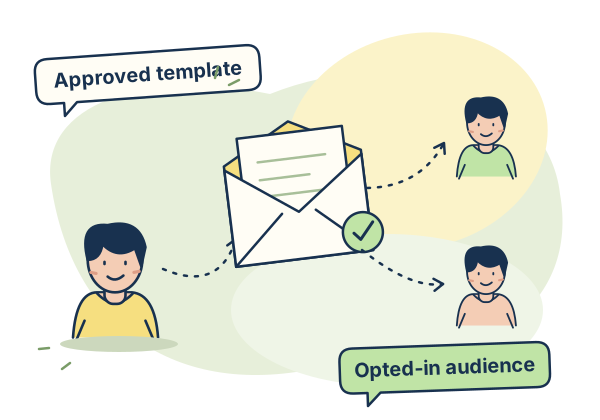
Zena bulk broadcasting runs on the official Meta WhatsApp Business Cloud API. Campaigns use approved templates, personalisation variables and delivery receipts to keep your team informed. Manage sends and customer replies in one workspace, with AED billing and zero Zena markup on Meta message fees.
Everything You Need to Run
WhatsApp Campaigns at Scale
Built for UAE businesses planning WhatsApp campaigns around opted-in audiences, approved templates and sending limits.
CSV and Google Sheets Audience
Upload your contact list as a CSV or connect a Google Sheet directly. Zena reads your columns, maps them to personalisation variables, and builds the audience for review before you send. No database export, no developer, no format gymnastics. Build the audience from your connected Sheet, or configure a Sheet auto-trigger to pick up eligible new rows.
Dynamic Personalisation
Every recipient gets a message that feels written for them. Map available CSV or Google Sheet columns to variables such as name, company, amount due or appointment date. Each queued recipient receives the version prepared from their mapped details. Mass reach with a one-to-one feel.
Rich Media Broadcasts
Send images, PDFs, and videos alongside your message text. Product catalogues, promotional flyers, event invitations, property brochures, clinic schedules, all delivered as WhatsApp messages that open natively on the phone without leaving the chat. No links, no redirects, no friction.
Campaign Scheduling
Schedule broadcasts to send at the exact date and time you want. Ramadan offers before Iftar. Flash sale alerts at peak browsing hours. Appointment reminders 24 hours before. Set it once and let it run automatically.
Delivery and Read Tracking
See exactly how many messages were sent, delivered, and read for every broadcast. Per-contact delivery status shows the recorded sent, delivered, read or failed milestone for each recipient. Real data you can use to improve the next campaign.
Template-Based Sending
All WhatsApp broadcasts use Meta-approved message templates. Zena lets you create, submit, and manage your template library directly from the dashboard. Once approved by Meta, templates are ready to use in any broadcast immediately.
Replies into Shared Inbox
Every reply to a broadcast message lands directly in your shared WhatsApp team inbox in real time. Agents pick up conversations, assign them, and respond personally. Enable the AI chatbot to handle routine follow-ups automatically.
Number Reputation Protection
Sending to unverified or cold contacts destroys your WhatsApp number reputation fast. Use contacts who have opted in. Saved-contact audiences exclude contacts marked as opted out; review consent before importing CSV or Sheet recipients. Review audience consent, message relevance and account quality as you plan each campaign.
UAE Businesses That Send
WhatsApp Campaigns Every Week
Any UAE business with a contact list and something to say should be using WhatsApp bulk broadcasting.
Retail and E-commerce
UAE retailers use WhatsApp broadcasts for flash sale alerts, new arrival announcements, seasonal promotions, and loyalty reward reminders. Send a product image with a personalised discount code to every customer who bought in the last 90 days. Replies asking about sizes or availability go straight to your team inbox for immediate response.
Real Estate
Dubai real estate agencies send new listing alerts to qualified buyer lists, open house invitations to registered leads, and price reduction notifications to interested prospects. Each message personalised with the contact name and property details from a Google Sheet.
Healthcare and Clinics
UAE clinics use WhatsApp broadcasts for appointment reminders, health screening campaign announcements, post-visit follow-up messages, and seasonal health tips. Send personalised appointment confirmations with the doctor name, date, time, and location from your appointment sheet. Give patients the appointment details they need and a clear route to contact your clinic.
F&B and Hospitality
Restaurants and hotels in Dubai broadcast Ramadan Iftar reservation openings, weekend special menus, loyalty member exclusive offers, and event announcements. A personalised WhatsApp message with a menu image puts the offer inside a conversation guests can reply to. Replies go to the reservations team inbox in real time.
Education and Training
UAE training centres and schools send course enrolment reminders, exam schedule notifications, fee payment reminders, and new course announcements via WhatsApp broadcast. Personalise each message with the student name, course name, and due date from your enrolment spreadsheet.
Logistics and Freight
UAE logistics companies broadcast shipment arrival notifications, customs clearance updates, and delivery schedule confirmations to importers and warehouse managers. Clients get proactive updates on WhatsApp, giving them a reference to check before calling the office.
Bulk Broadcasting Common Questions
How many contacts can I broadcast to at once on WhatsApp?
Does WhatsApp bulk broadcasting require contacts to have saved my number?
Can I personalise bulk WhatsApp messages with the recipient name?
Can I schedule WhatsApp broadcasts in advance?
What types of media can I include in a WhatsApp broadcast?
What happens when someone replies to a broadcast?
Can I send broadcasts if I'm using Coexistence (keeping my WhatsApp Business app)?
Broadcast Capacity That Scales
With Your Business
Starter includes 15,000 broadcast recipient sends per month. Growth and Business have no Zena monthly cap. Meta account limits still apply. Every plan includes scheduling and zero Zena markup on Meta message fees. Prices exclude UAE 5% VAT, added to your invoice.
Running bulk WhatsApp marketing campaigns in Dubai or the UAE? See the full guide on Bulk WhatsApp Marketing UAE including legal requirements and Meta tier limits.
Your Next Campaign.
On the Channel UAE Customers Reply To.
Plan your next WhatsApp campaign with an opted-in audience, an approved template and a team ready to handle replies. Choose your plan and contact the team to arrange billing. Ask the team about Coexistence eligibility and the steps to connect your number.