

WhatsApp Business Analytics
Built for UAE and GCC Teams
WhatsApp Business Analytics is the reporting layer inside Zena that tracks message volume, AI reply counts, lead pipeline status, broadcast performance, and chatflow funnels - giving UAE and GCC teams a single dashboard view of their entire WhatsApp operation.
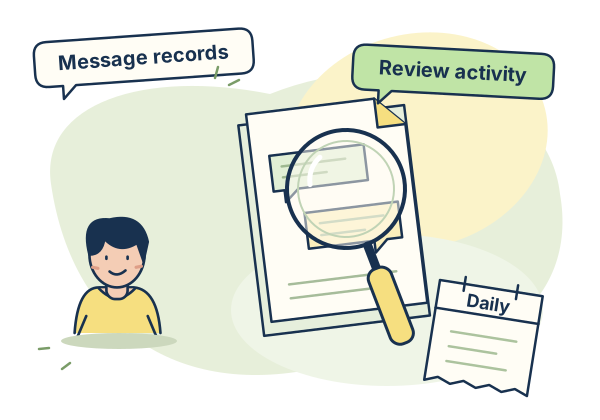
WhatsApp Analytics That Show
What Actually Matters.
Most UAE businesses that use WhatsApp for business have no idea how many messages they receive per day, how many leads they capture per week, which broadcast campaign had the highest read rate, or where customers drop off in an automated chatflow. Without data, every decision about your WhatsApp operation is a guess.
Zena WhatsApp analytics gives you a dashboard with the metrics that matter: message volume trends, AI reply rates, lead pipeline by status, daily charts, broadcast performance per campaign, and node-level funnel data for every chatflow. Custom date ranges let you review periods within your available history. The dashboard refreshes its snapshot when relevant activity arrives and periodically while you view it. A timestamp shows the snapshot you are reviewing.
Every Report Your WhatsApp
Operation Needs
Eight report types covering every dimension of your WhatsApp business performance.
Message Volume Stats
Review recorded message totals for the selected period, with incoming messages, AI replies, agent replies and other outgoing messages shown separately. Daily buckets help you spot busier days and plan team coverage around observed demand. Available on all plans.
AI Reply Volume
Compare AI reply volume with agent replies and incoming messages. The message mix helps you understand how much recorded activity comes from automated responses and how much comes from your team. Use it alongside conversation review when refining your chatbot. Available on all plans.
Lead Pipeline Stats
Review captured leads and the recorded lead-status counts, including completed, partial, contacted and qualified records. Use those counts to decide where the team should review incomplete details or follow up with contacts. Check the report period and history notice when comparing activity. Available on all plans.
Daily Volume Charts
Visual charts showing message volume trends over any selected date range. Compare periods within your plan history, such as this week and last week or this month and last month. Spot trends and anomalies instantly without exporting data to a spreadsheet. Currently enabled on Growth and Business within the history allowance. Starter access is awaiting rollout.
Top Contacts Report
See the top contacts ranked by recorded message count in the selected period. Use that activity list to identify frequent enquirers, review their conversations and decide where personal follow-up is useful. Message volume provides context for your team rather than a customer-value score. Currently enabled on Growth and Business within the history allowance. Starter access is awaiting rollout.
Broadcast Campaign Reports
Review per-campaign queued, sent, delivered, read and failed message counts. Compare the recorded delivery milestones for campaigns with different audiences, templates and send times. Customer replies continue in the team inbox, where agents can review and follow up on each conversation. Available on all plans.
Chatflow Node Funnel Analytics
For every published chatflow, see a visual funnel showing how many contacts entered the flow, how many completed each node, and exactly where they dropped off. Identify which step in your booking flow loses the most prospects. Use the funnel to choose a step to adjust, then compare activity after the change. Available on every plan within its history allowance.
Custom Date Range
Choose the last 7, 30 or 90 days in the analytics dashboard. For a specific reporting interval, the authenticated reporting API accepts start and end dates. Keep comparisons within the history available on your plan and check the snapshot timestamp and coverage notice before drawing conclusions. Available on every plan within its history allowance.
WhatsApp Analytics
Common Questions
What analytics does Zena provide for WhatsApp?
Can I filter analytics by date range?
Are chatflow analytics available on all plans?
Analytics Across Your Workspace.
Choose the History You Need.
The all-features plan policy includes shipped analytics reports. Current availability: Starter daily charts and Top Contacts access are awaiting rollout; those two reports are currently enabled on Growth and Business. Message and lead snapshots remain available on Starter. Reporting intervals stay within your plan history. History is 3 months on Starter, 12 months on Growth and 30 months on Business.
Know Exactly How Your
WhatsApp Is Performing.
Connect your WhatsApp number and your analytics dashboard starts filling immediately. Choose your plan and contact the team to arrange billing. Billed in AED.