
You do not need Meta Business Agent access today to prepare for it.
Most of the preparation is work your business should do anyway.
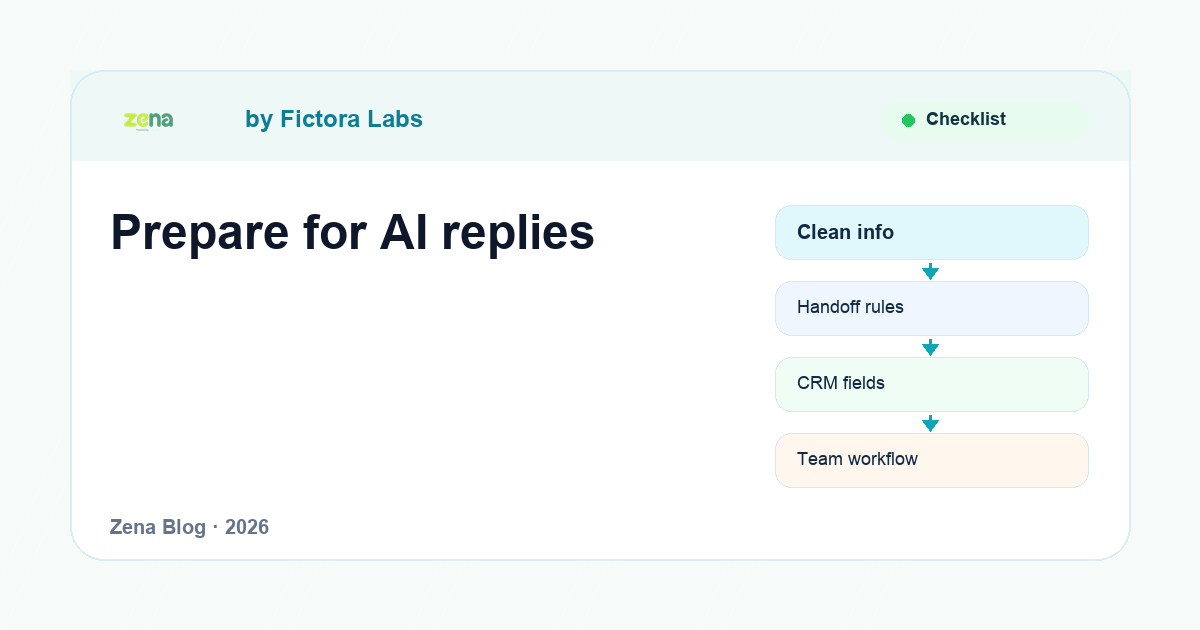
Clean your information. Fix handoff. Decide who owns each type of chat. Stop leaving customer details inside staff memory.
If Meta Business Agent becomes available for your account, you will be ready. If it does not, your WhatsApp operation still improves.
Not sure what Meta Business Agent actually is yet? Start with our full overview →
start with the source material
AI is only as useful as the information it can use.
Before enabling an agent, check the material customers depend on.
- business hours
- locations
- service list
- product catalog
- pricing rules
- refund policy
- delivery policy
- booking rules
- handoff instructions
If this information is wrong, the agent will repeat wrong information faster than your team can correct it.
choose the first five questions
Do not start by automating everything.
Ask your team which five questions they answer every day.
Those are the first candidates.
For a clinic, it might be timing, location, doctors, services, and appointment booking.
For real estate, it might be budget, area, property type, rent or buy, and viewing time.
For ecommerce, it might be stock, delivery, returns, size, and payment link.
Not sure which use cases fit your industry? See the full industry breakdown →
write handoff rules before AI goes live
The handoff rule matters more than the welcome message.
Write down the conversations AI should not handle alone.
- complaints
- refunds
- medical questions
- financial questions
- legal questions
- angry customers
- high-value sales leads
- anything with unclear pricing or availability
If the agent cannot exit cleanly, it becomes another wall between the customer and the business.
define the CRM fields
A good AI reply is not enough.
The business needs usable customer data after the conversation.
Define the fields before the workflow goes live: name, phone, source, location, budget, appointment time, order number, preferred language, product interest, branch, and status.
Do not collect everything. Collect what your team actually uses.
review templates and broadcasts
Meta Business Agent does not remove WhatsApp messaging rules.
If your business sends outbound messages, templates and opt-in still matter.
Prepare the templates you already know you need: appointment reminders, order updates, delivery updates, payment follow-ups, review requests, and re-engagement messages.
prepare Arabic and English workflows
Do not assume language support before checking it in your account.
But if you operate in the UAE, prepare Arabic-English workflows anyway.
Your scripts, saved replies, product names, and handoff rules should not exist only in one language if your customers use both.
If you run Instagram or Facebook ads, prepare for conversations across those channels too. Meta Business Agent handles replies on Messenger and Instagram, not just WhatsApp. Your language and handoff preparation applies there as well.
train the team
AI changes the staff role.
The team stops answering every repeated question manually and starts reviewing context, handling exceptions, closing deals, and fixing cases the agent should not handle.
Train for that.
Teach agents when to trust the summary, when to check the source, and when to override the automation.
use this readiness checklist
| Area | Question to answer |
|---|---|
| Source material | Is our public business information correct? |
| Use cases | Which five questions should AI handle first? |
| Handoff | When must a human step in? |
| CRM | Which fields should the chat create or update? |
| Templates | Which outbound messages need approval? |
| Language | Do we need Arabic, English, or both? |
| Reporting | Which metric tells us the system is working? |
| Compliance | Do any workflows need legal or sector review? |
where Zena fits
The preparation steps in this checklist are not just pre-work for MBA. They're also how Zena helps teams run the WhatsApp inbox right now.
When your source material is clean, every team member in Zena's shared inbox has the same context before they reply. When your routing rules are written, Zena assigns conversations automatically. When your CRM fields are defined, Zena saves them on every chat. When your handoff rules are clear, Zena moves the conversation to a person the moment it crosses the line.
The AI part comes last. The preparation is what makes it useful.
faq
Should UAE businesses wait until Meta Business Agent is available?
No. The preparation work is useful even before access appears in your account.
What should a business prepare first?
Start with source material and handoff rules. Bad information and poor handoff are the fastest ways to make AI annoying.
Does Meta Business Agent replace WhatsApp Business Platform?
No. They are separate layers. For the full breakdown, read how they fit together →
Sources and further reading
Prepare the workflow before the AI
Zena helps UAE teams clean up WhatsApp inbox ownership, routing, CRM context, broadcasts, automation, and handoff before AI enters the conversation.
See Zena plans →